Blog
There are plenty of gate companies out there — but very few that combine technical expertise, quality workmanship, and genuine customer care.
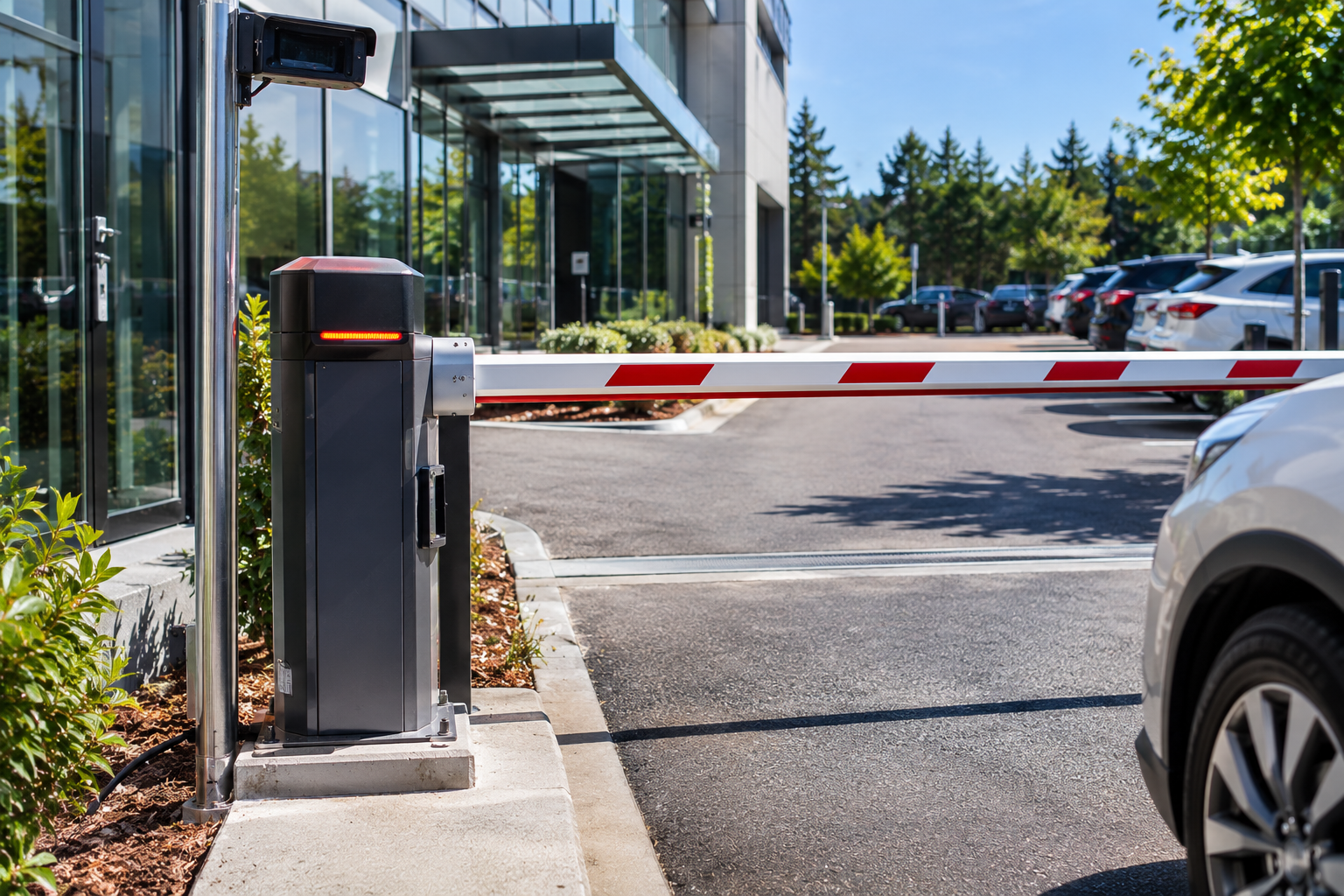
If you are researching barrier arm installation cost for a business in Auckland, you have probably noticed that nobody gives a straight number. That is not evasiveness. Two barrier arms that look almost identical from the road can cost very different amounts once they are installed, because the price depends far more on your site and how you want the system to work than on the arm itself. This guide walks through what actually moves the price up or down, so you can plan a budget, compare quotes properly, and avoid paying for things you do not need.
A barrier arm is not a product you pick off a shelf and plug in. It is a system made up of the arm, the motor and control unit, the way people trigger it, the safety equipment around it, and the installation work on your particular entrance. Every one of those pieces can change from one site to the next.
A small staff car park with a single remote-controlled arm is a very different job from a busy business park entrance with separate entry and exit lanes, card readers, an intercom, and a connection to an existing access system. Any figure quoted without seeing the site is a guess, which is why reputable installers prefer to look at your entrance before quoting.
The first factor is the physical opening. A wider lane needs a longer arm, and a longer arm means a stronger motor and a more robust housing to move it reliably, day after day. If your entrance has two lanes, or separate lanes for entry and exit, you will need more than one arm, and the cost scales with the number of lanes you are controlling.
Arm length also affects speed and wind resistance, so it is worth being realistic about how wide the opening needs to be. Over-sizing an entrance adds cost without adding any real benefit.
Operating speed is one of the more overlooked cost factors. A site where vehicles queue at peak times, such as a retail car park or a busy workplace at shift change, needs an arm that opens and closes quickly. On the other hand, a quiet entrance with a handful of vehicles an hour does not need the same performance.
EzyGate’s barrier arm installation covers systems that open and close in seconds, and the operating speed can be adjusted to suit the site. Matching the speed to your real traffic means you are not paying for performance you will never use, and not struggling with an arm that cannot keep up.
This is usually where the biggest swings in price happen. The arm itself is only half the system. What tells it to lift is the other half, and there is a wide range of options.
A single remote is the least involved setup. Adding card readers on both sides of the lane, an intercom for visitors, and connecting everything to a wider system takes more equipment and more installation time. A properly planned access control system will cost more than a basic remote setup, but it also gives you control over who can enter, which is the whole point for many businesses.
If your site already has an access control or ticketing system, the barrier arm needs to work with it. Barrier arms can integrate with ticketing and access systems, but how smoothly that happens depends on what is already there. Connecting to an existing system you are happy with can save money compared to replacing it, while a mismatch may mean extra work to make the pieces talk to each other.
It is worth telling your installer upfront about any existing equipment, because it changes what needs to be supplied and what can be reused.
Some of the cost has nothing to do with the barrier itself. The arm needs power and control cabling, and that cabling has to get from the supply to the entrance. If the entrance is close to a power source, this is simple. If the barrier is far from the building, or the cable has to run under a driveway or paved area, there is more groundwork involved.
The base the arm is mounted on also matters. A solid, level foundation keeps the arm aligned and reduces wear, so sites with poor ground or awkward layouts may need extra preparation before anything can be fitted. These site conditions are one of the main reasons two installs of the same equipment can end up costing different amounts.
Power cuts happen, and a barrier that is stuck closed or open during an outage can be a real problem for a business. Barrier arms can be fitted with battery backup so they keep operating during a power failure, and the arm can also be raised by hand using a manual override.
Both are worth considering, particularly if your site cannot afford to be blocked at critical times. Battery backup adds to the upfront cost, so it is a good example of a decision that depends on how important continuous operation is for your business.
Barrier arms operate in lanes where vehicles and sometimes pedestrians are close by, so safety sensors are a core part of the system rather than an optional extra. Sensors that detect a vehicle or person in the arm’s path help stop it lowering onto anything underneath. These are checked as part of regular servicing, which is a good reminder that safety is an ongoing cost as well as an upfront one.
Be wary of any quote that seems to leave safety equipment out to hit a lower price. Leaving it out does not remove the risk, it just moves it onto you.
Equipment quality affects both the upfront price and how long the system lasts. EzyGate installs barrier arm systems from trusted manufacturers, and different models are built for different levels of use. A unit designed for a few cycles an hour is not the right choice for an entrance that opens hundreds of times a day.
When comparing quotes, ask what equipment is included and whether it is suited to your expected traffic. A lower price for a unit that is not built for your usage can end up costing more through breakdowns and early replacement.
The installation price is only part of what a barrier arm costs over its life. Moving parts, sensors and control systems all need attention, particularly at busy entrances. Annual servicing is generally recommended, and more frequent servicing makes sense for high-traffic sites.
EzyGate offers maintenance contracts for commercial clients, and a regular maintenance and servicing plan spreads the cost of upkeep and reduces the chance of an unexpected failure at a bad moment. When you budget for a barrier arm, include servicing from the start rather than treating it as a surprise later.
It is natural to compare quotes on price, but a lower number does not always mean better value. Two quotes can look similar and still cover very different things. One may include safety sensors, backup power and proper cabling, while the other leaves them out or assumes you will arrange them separately.
When comparing quotes, check a few things.
Answering these questions turns a price comparison into a proper comparison of what you are actually getting.
Sometimes the cost question is really a question about whether a barrier arm is the right tool. A barrier arm manages vehicle flow, but it does not stop someone walking around it. If you need full perimeter security, for example because you store valuable stock or equipment on site, a barrier arm alone may not be enough.
In that case, many businesses use a barrier arm for daytime traffic and add commercial gates to secure the site after hours. Getting this decision right at the start avoids paying for a system that does not meet your needs and then paying again to fix it.
You can speed up the quoting process and get a more accurate result by gathering a few details before you get in touch.
With this information, an installer can give you a much more realistic idea of what your site needs, and what it will cost to do properly.
Q1. How much does a barrier arm cost to install in Auckland?
It depends on your site. The price is affected by the width of the lane, the number of lanes, how people trigger the arm, whether battery backup is included, and the groundwork needed for power and cabling. The most reliable way to get a real figure is to request a quote for your specific entrance.
Q2. What is the biggest factor that changes the price?
For most sites it is the access setup. A single remote is the simplest option, while card readers, intercoms and mobile access, especially when connected to an existing system, add equipment and installation time.
Q3. Does a barrier arm have ongoing costs after installation?
Yes. Annual servicing is generally recommended, with more frequent servicing for busy entrances. Maintenance contracts are available for commercial clients, which helps you plan the cost of upkeep.
Q4. Is battery backup worth paying for?
It depends on how much your business relies on the entrance. Battery backup lets the barrier keep working during a power failure, and there is also a manual override to raise the arm by hand. If a blocked entrance would cause serious disruption, backup power is usually worth considering.
Q5. Can a barrier arm connect to my existing access control or ticketing system?
Barrier arms can integrate with ticketing and access systems. How easy that is depends on the equipment you already have, so it is worth telling your installer about it before they quote.
Q6. How do I get an accurate quote for my business?
Request a quote and share the details of your entrance, the number of vehicles, who needs access, and any existing equipment. The more information you can provide, the closer the quote will be to the final cost.